AP Principles
Due Date: January 12, 2026
Task 1: Join my WayGround classroom
Follow the steps below to make sure you are enrolled in the correct wayground class.
- AP Principles: Period 6 - Click here
- Enter your join code: X120768
Reminder: All tasks must be completed by the due date. Late submissions will receive point deductions.
Due Date: January 12, 2026
Task 2: Basic Algebra Tied to Computer Science (Math Skills Check)
This assignment tie algebra to computer science.
Before you start, make sure you are signed in:
- You must be signed into WayGround.
- You will take the Wayground inside your google classroom. Not in my web site.
- Review notes first: Algebra to Computer Science notes (click here)
- Complete the WayGround quiz: Click here.
- You have unlimited tries.
Grading Rules (Read Carefully):
- You must score a 100 to receive a 100. Anything lower will result in a zero.
- I will deduct points from your 100 for any errors found in my version of the WayGround quiz.
- Use your full name to receive credit.
- Stay signed into WayGround so your progress saves.
Allowed Resources:
- No calculators.
- You may only use pencil and paper.
Submission Instructions:
- Save your work as: PX_Algebra_lastname.png
- Turn it in on Google Classroom.
Reminder: All tasks must be completed by the due date. Late submissions will receive point deductions.
Due Date: January 16, 2026
Task 3: Learn about the create task and create a practice create task
-
Purpose of this assignment:
You will complete a practice AP Create Task to prepare for the official Create Performance Task.
-
Log in to Code.org:
Click here to sign in
If the link above does not work, click on the link below.
https://studio.code.org/users/sign_in
Log in using your Klein ISD username and password.
Mr. Cusack will explain how this platform will be used during the lesson.
-
Prepare for notes:
Take out notebook paper.
Use your standard class heading.
Title your notes: "Sample Create Task".
Mr. Cusack will tell you exactly what to write during the lecture.
-
Lecture and guided practice:
After completing your notes, you will code the same program on your own.
-
Programming tutorial:
After the lecture, follow the instructions in this video:
Click here to watch the programming tutorial
If the link does not work, copy and paste this URL into your browser:
https://youtu.be/fY9gxDjXkBs?si=BgkXNn-YdjyUIbiG
-
Brief outline of what we will cover:
-
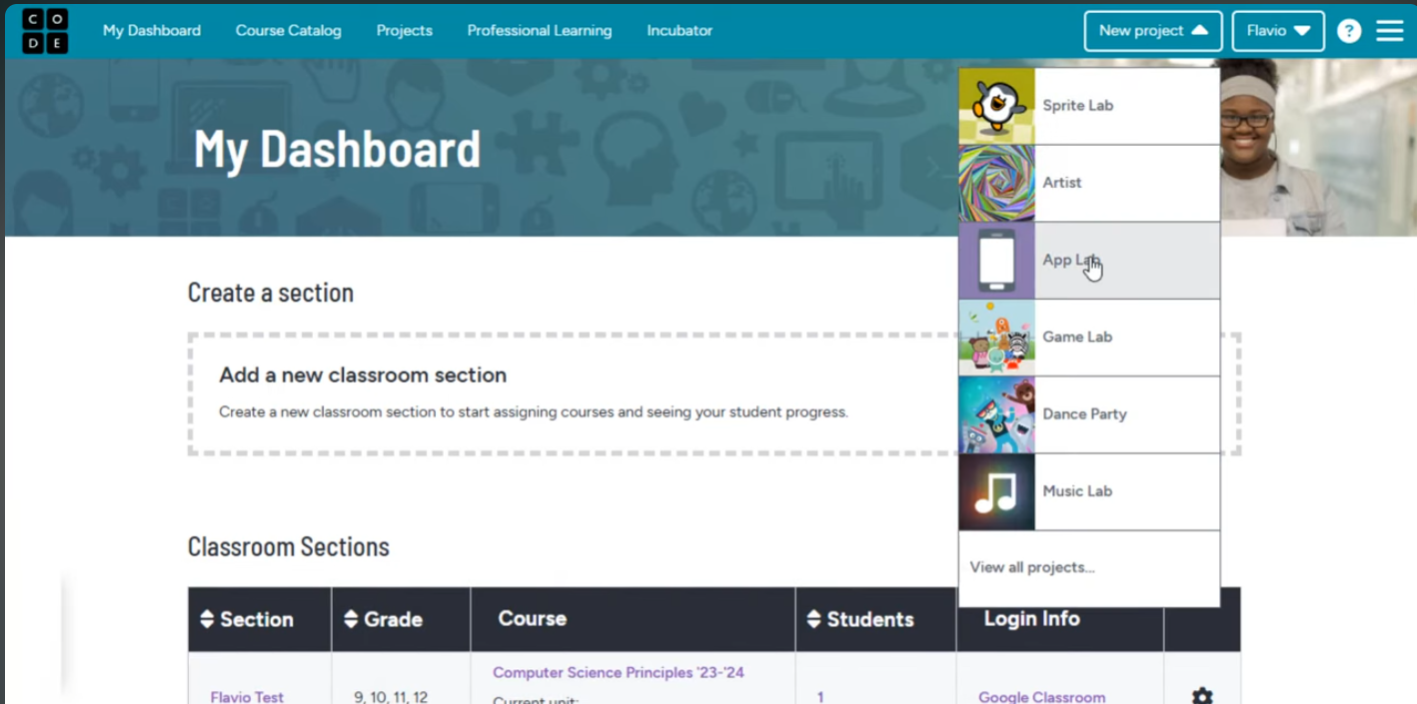
Part 1: Project Setup
Sign in and create a new project.
App name format: PX_Game_lastname
-
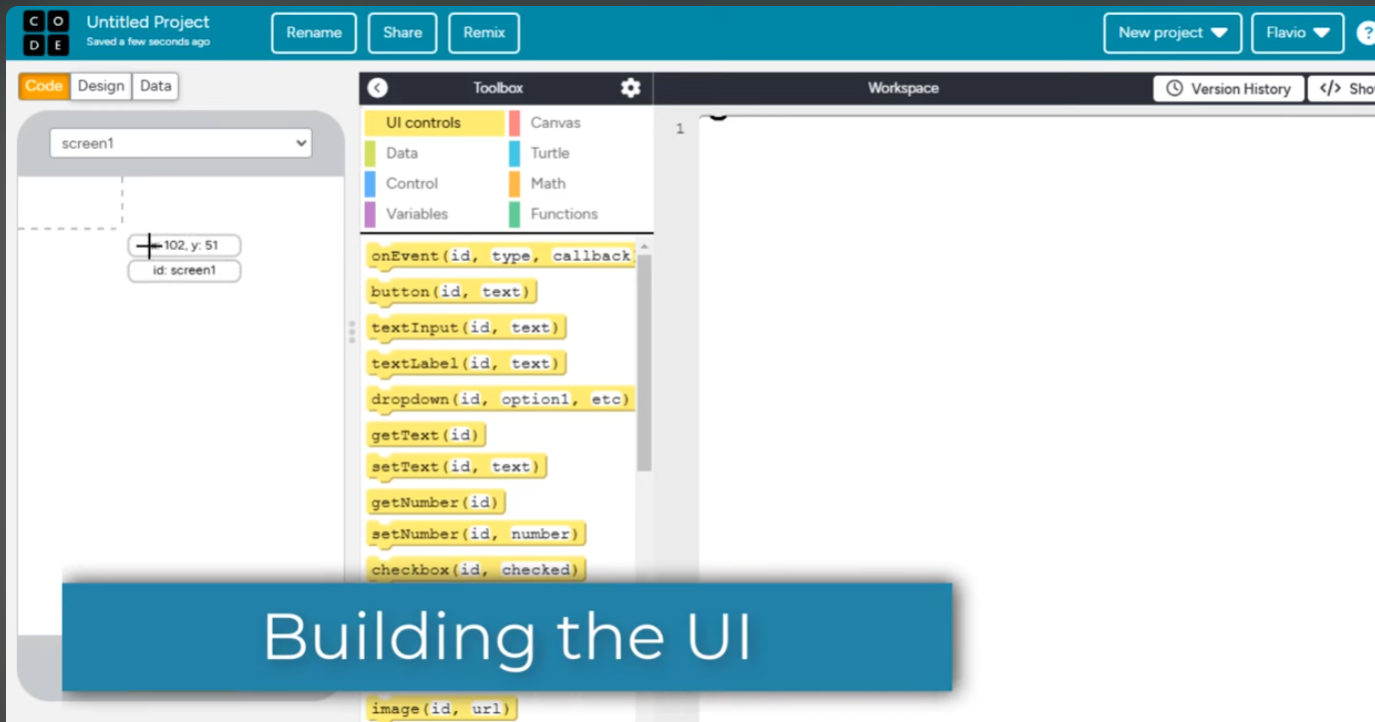
Part 2: User Interface (UI)
Design the layout and user interaction elements.
-
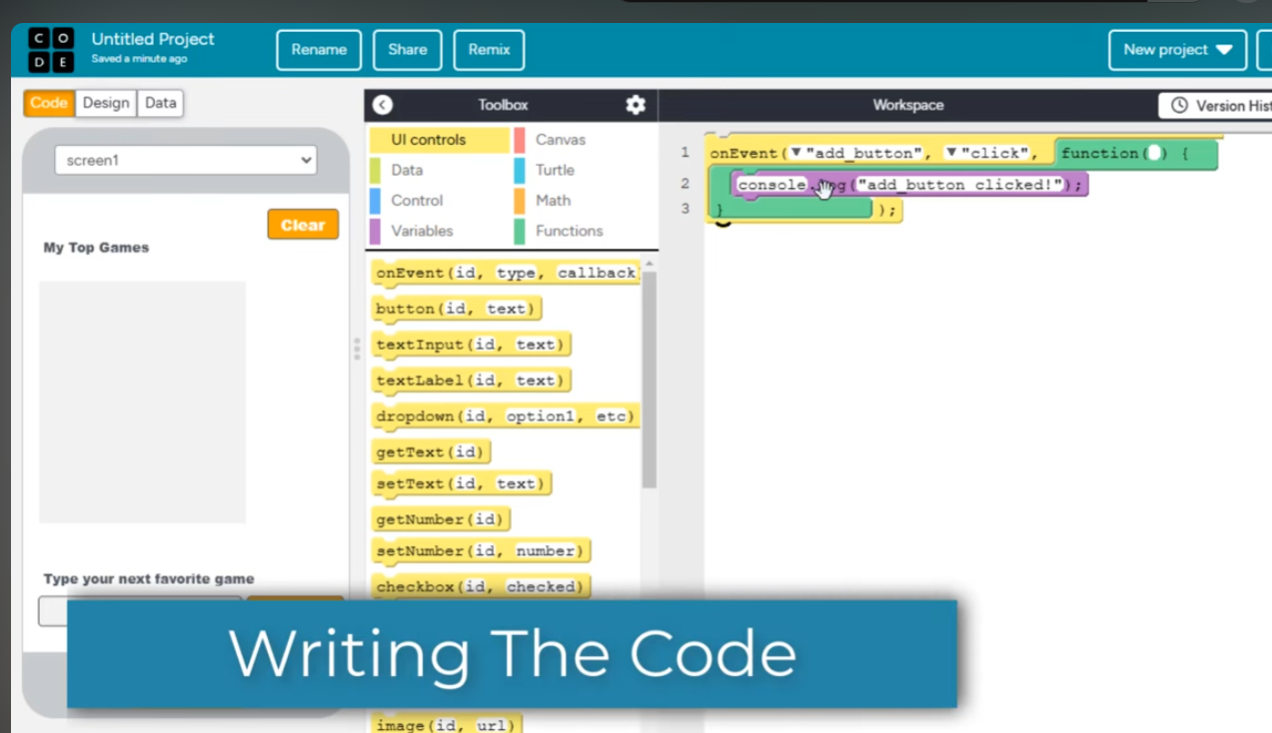
Part 3: Coding the Program
Write, test, and refine the program logic.
Why this matters: This practice is built to match the kinds of requirements you must meet on the
AP CSP Create Task: a working program, clear explanation, and evidence that you used programming concepts correctly.
Due Date: January 14, 2026
Task 4: Create Task notes written and typed.
This assignment will teach about the create task
Before you start, make sure you are signed in:
- You must be signed into WayGround.
- You will take the Wayground inside your google classroom. Not in my web site.
- Review notes first: Create task notes (click here)
- Complete the WayGround quiz: Click here.
- You have unlimited tries.
Grading Rules (Read Carefully):
- You must score a 100 to receive a 100. Anything lower will result in a zero.
- I will deduct points from your 100 for any errors found in my version of the WayGround quiz.
- Use your full name to receive credit.
- Stay signed into WayGround so your progress saves.
Allowed Resources:
- No calculators.
- You may only use pencil and paper.
Submission Instructions:
- Save your work as: PX_CreateQuiz_lastname.png
- Turn it in on Google Classroom.
Reminder: All tasks must be completed by the due date. Late submissions will receive point deductions.
AP CSP Create Task Scoring Language (What You Must Be Able to Show)
On the AP CSP Create Task, you are scored on whether your program and your written responses clearly demonstrate specific
programming concepts. This practice is designed to build those exact skills.
1) Program Purpose and Function
- You can clearly state what your program is intended to do (the purpose).
- You can explain what the user does (the input) and what the program does in response (the output).
- Your program has a meaningful goal (not just random commands).
2) Data / Variables
- Your program uses at least one variable to store data.
- You can explain how the variable’s value changes and why it matters to the program’s behavior.
3) Algorithm (Sequencing, Selection, Iteration)
- Sequencing: Steps happen in a specific order.
- Selection: Your program uses a decision like
if / else.
- Iteration: Your program repeats something using a loop (for example:
for or while).
- You can identify and describe an algorithm in your code that includes these parts.
4) Abstraction (A Student-Developed Procedure)
- You create a procedure (a function you wrote) with a clear name and purpose.
- Your procedure is used in your program (it gets called).
- Optional but strong: Your procedure uses one or more parameters to make it more flexible.
- You can explain how your procedure helps manage complexity (it makes your code easier to reuse or understand).
5) Testing (Proving Your Code Works)
- You can describe at least two test cases:
- What input you tried
- What output you expected
- What output actually happened
- Your test cases show that your code works in more than one situation.
Reminder: In the official Create Task, you must be able to explain your program clearly.
That means: purpose, how it works, and evidence of algorithm + abstraction + testing.